For stock photographers & videographers

Know the rejection before you upload.

StockMeta analyzes your photos and videos on your own computer, scores their real sales potential, and writes Adobe Stock, Shutterstock and Pond5 metadata straight into the files. Built by a working stock contributor — because uploading blind was costing him sales.

Get StockMeta — $39 Free trial (20 photos)
Windows · one-time license · works with your own AI key (Claude / GPT / Gemini)
DSCF3345.JPG4,672 × 2,628 · 20.3 MP

FUJIFILM X-A7 · 15mm · f/3.5 · 1/800s · ISO 640
55/100 sales
technical 93.9 ✓ saturated category rejection risk: high
Adobe’s answer, three days later: REJECTED — quality issue. StockMeta had already said it. This is a real file from the developer’s own portfolio.
Why it exists

Three things every contributor loses time on. Fixed.

Rejections

A dual score for every file: local technical quality (sharpness, exposure, shake, blur) plus an AI sales-potential score with the likely rejection reason — before the reviewer ever sees it.

Keywording

Title, description and 49 ranked keywords generated from the image itself, embedded into IPTC/XMP. Upload the file — Adobe, Shutterstock and Pond5 read everything automatically.

Culling

400 frames from a shoot? Blur, shake and duplicates are detected locally and for free. Similar frames are grouped, the best one is starred, the rest never cost you an API call.

Workflow

From memory card to submit in four steps.

01 · local

Scan

Point it at a folder. Photos, RAWs and videos are indexed with full EXIF — camera, lens, GPS, shutter.

02 · local & free

Quality check

Every file gets a 0–100 score and a keep / review / reject verdict. Blur, shake, exposure, resolution, even slow-shutter risk.

03 · AI

Metadata

Your own Claude, GPT or Gemini key writes titles, keywords, categories and release warnings — with GPS resolved to real place names, offline.

04 · done

Embed & export

Everything is written into the files (XMP/IPTC) plus platform-ready CSVs. Drop them on FTP and submit.

Under the hood

43 features. Every one born from a real shoot.

Analysis engine local · $0

  • Dual-signal blur detection — texture tricks (foam, rock, sand) can’t fool it
  • Video shake & jello check — deliberate pans stay unpunished
  • Similar-frame grouping with best-of-group starring
  • Exposure, saturation & contrast warnings, calibrated on real cameras
  • Megapixel & platform rules — resolution, clip length, FullHD minimums

AI metadata your key

  • 49 ranked keywords, title & SEO description per file
  • Sales-potential score with the honest rejection risk, in your language
  • GPS → place names, offline — DJI videos and flight logs included
  • Model & property release detection, editorial flagging
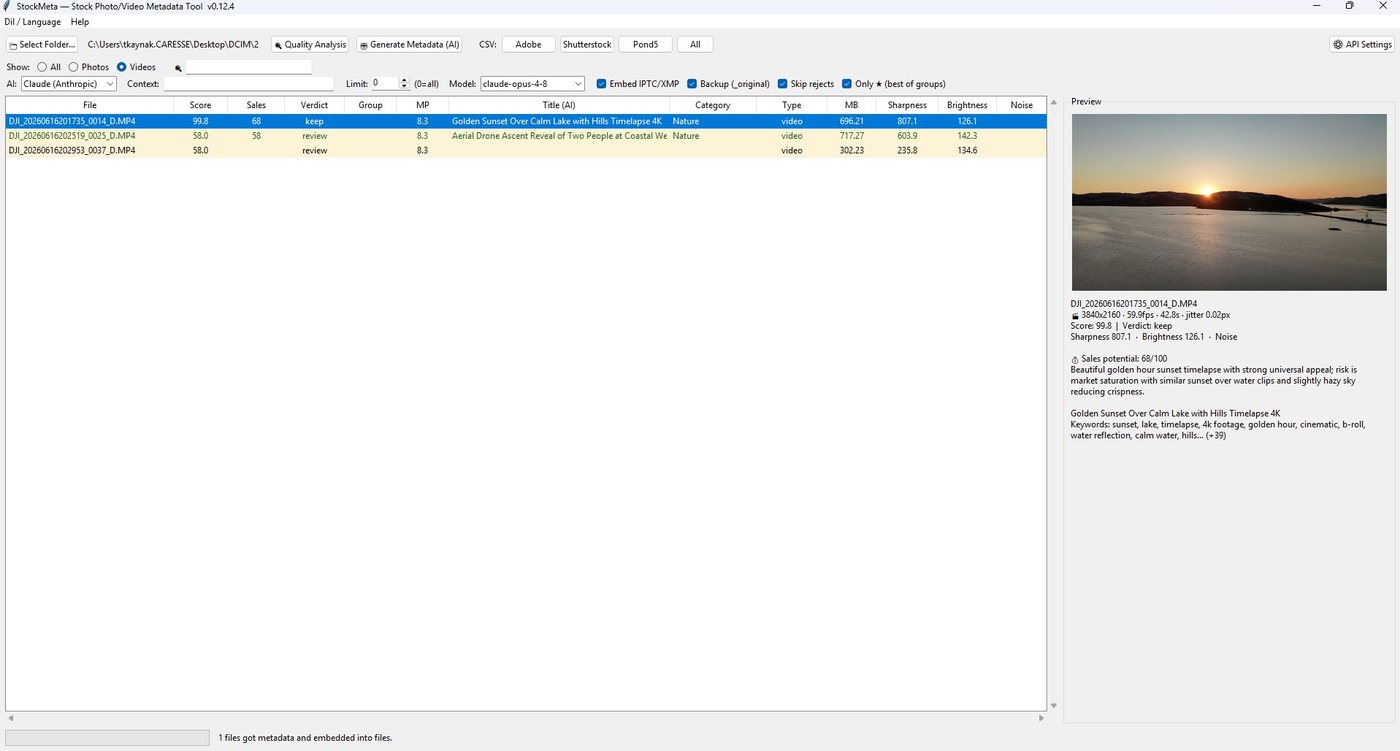
  • Video-aware: 3 frames per clip, one API call, motion keywords

Cost control built-in

  • Rejected files never reach the API — you don’t pay for trash
  • Only-★ mode: one call per similar group, not six
  • Resume anywhere — no file is ever paid for twice
  • Run on selection, test on 5 files first, regenerate with another model
  • Claude, ChatGPT or Gemini — switch per shoot, compare results

Output & comfort daily driver

  • IPTC/XMP embedded — platforms auto-fill the submit form
  • Adobe / Shutterstock / Pond5 CSVs with correct limits & category codes
  • Sortable table + live preview with EXIF, verdicts and keywords
  • Cull with right-click — delete with RAW pairs, straight to Recycle Bin
  • English & Turkish UI, single portable EXE, nothing else to install
The app

An honest table. A verdict per row.

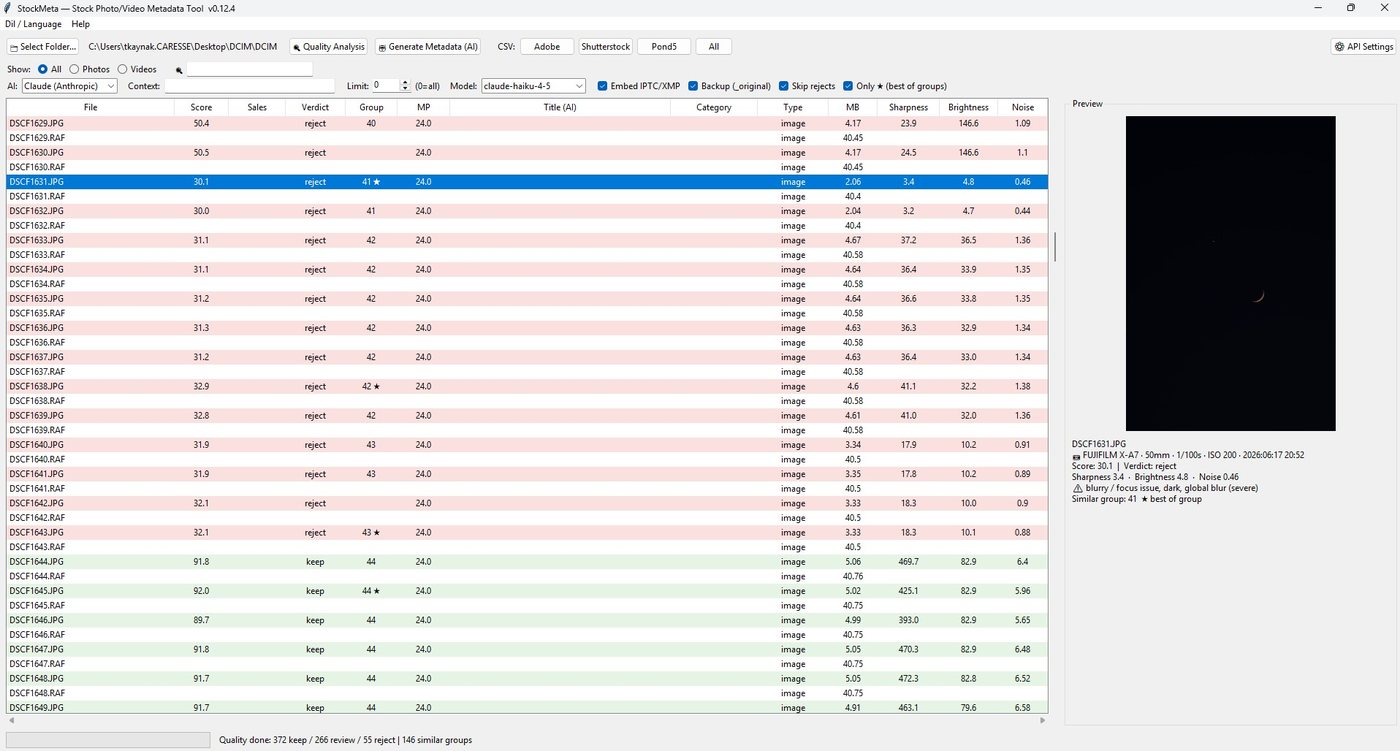
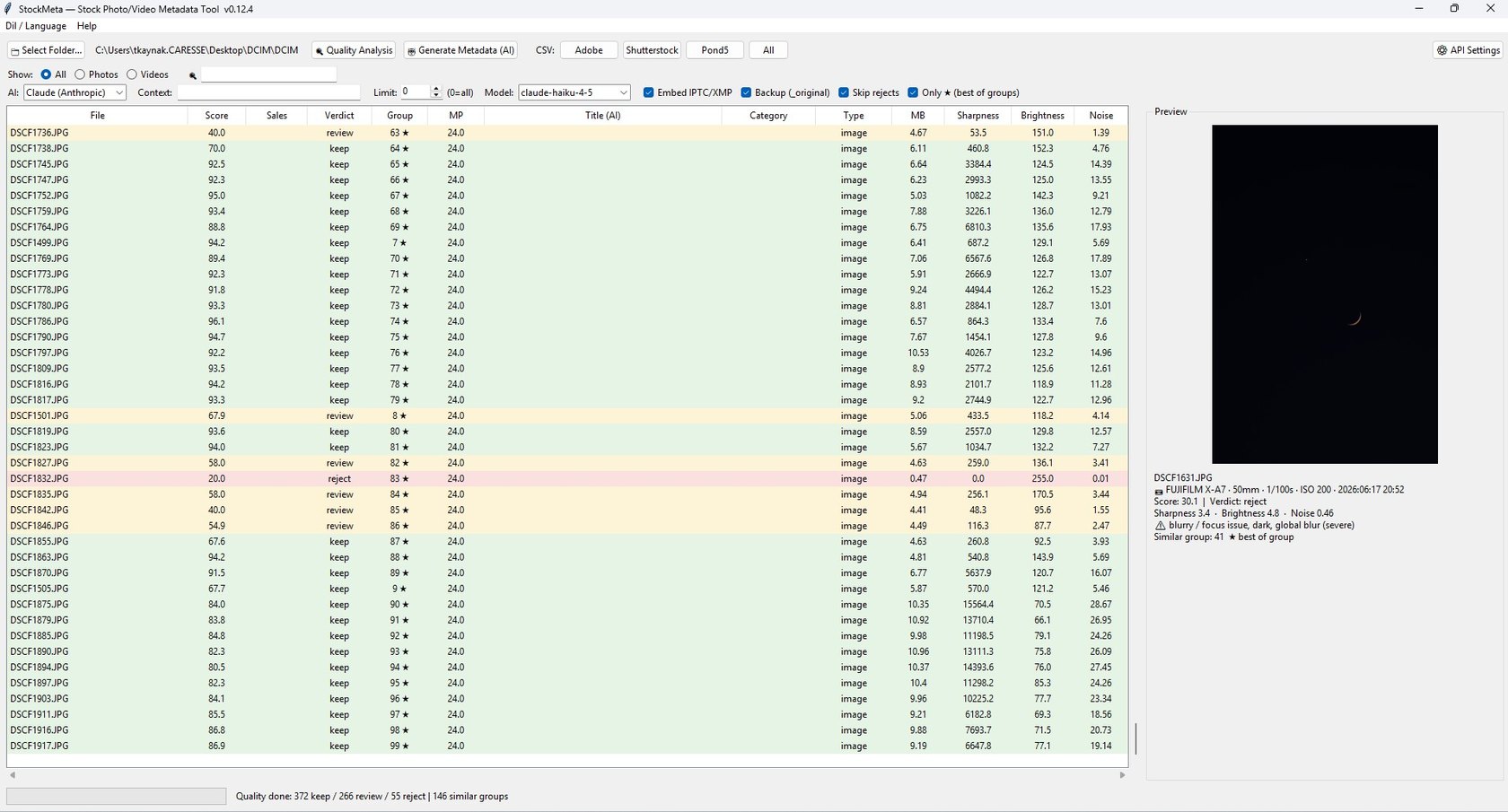
StockMeta main table: files scored and color-coded keep, review, reject
408 real frames from a wildlife shoot: 251 keep · 146 review · 11 reject, similar frames grouped and starred.
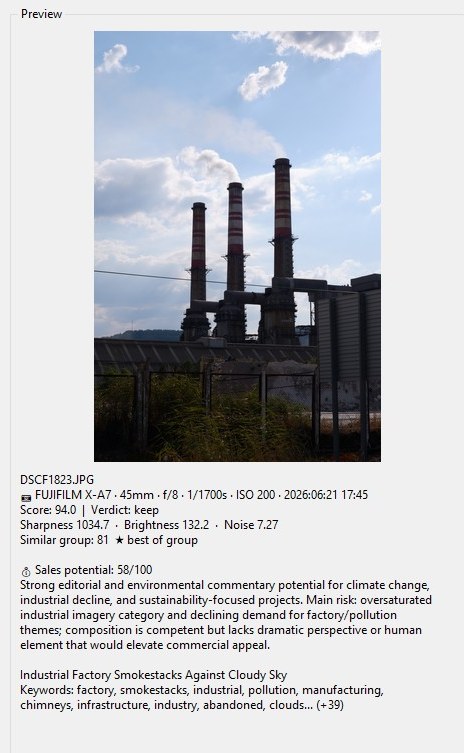
StockMeta preview panel with EXIF, scores and AI sales note
One click: photo, shooting data, quality score and the AI’s sales verdict — with its reasons.
Pricing

One license. No subscription.

$39 one-time
  • Full app, photos and videos, all platforms
  • 1 year of updates included · 2 device activations
  • Bring your own AI key — typical cost ≈ $2 per 1,000 photos
  • Free trial: 20 photos, no card required
  • 14-day money-back guarantee
Buy StockMeta
Secure checkout & instant license key by Lemon Squeezy
Questions

FAQ

Do I need my own AI key?

Yes — that’s deliberate. You plug in your own Claude, OpenAI or Gemini key, so there’s no monthly fee to us and no markup on AI costs. Keywording 1,000 photos typically costs around $2 with the default model. A step-by-step key guide is included.

Which platforms are supported?

Adobe Stock, Shutterstock and Pond5: metadata is embedded into your files (XMP/IPTC), which all three read automatically at upload, plus CSV exports in each platform’s format with correct field limits and Adobe category numbers.

Does it upload my photos anywhere?

Quality analysis runs 100% on your computer. For metadata, a downscaled copy of each image is sent only to the AI provider you chose, with your own key. We never see or store your files.

Windows only?

Yes, currently Windows 10/11 as a single portable EXE — ExifTool and ffmpeg are bundled, nothing else to install. First launch takes a few seconds while it unpacks.

What about refunds and updates?

14-day no-questions refund. Your license includes one year of updates; the app keeps working after that, forever, at whatever version you have.